
Blog

2025 Cadillac CT5 vs BMW 5 Series: Luxury Sedan Comparison

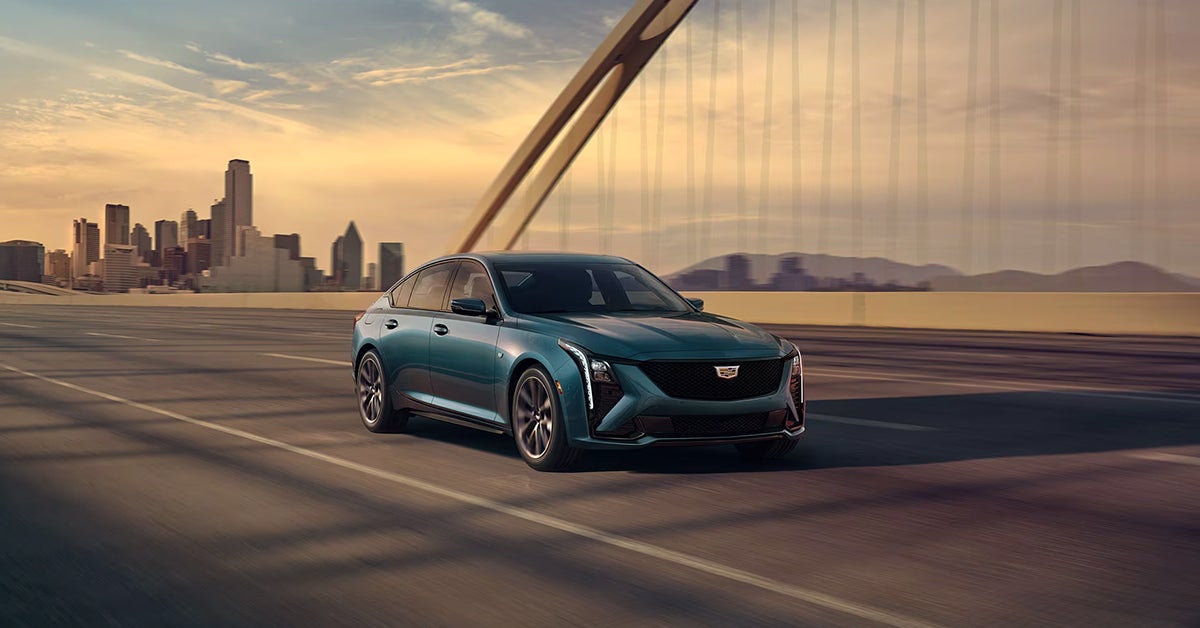
2025 Cadillac CT5 in Typhoon Metallic driving across a bridge

Looking for a midsize luxury sedan that delivers refined power, sleek design, and cutting-edge tech? The 2025 Cadillac CT5 and the 2025 BMW 5 Series are two standout contenders that deserve a closer look. These sedans redefine what it means to drive in style, blending performance and prestige into every detail. Whether you're drawn to Cadillac’s bold American craftsmanship or BMW’s legendary European engineering, this head-to-head comparison will help you decide which luxury sedan fits your lifestyle.

Read on to explore how the 2025 CT5 and 5 Series stack up in performance, technology, design, and value. And when you're ready to experience true luxury for yourself, visit Crestview Cadillac or contact our team—we're here to help you take the next step.

Which Midsize Luxury Sedan Reigns Supreme in Walnut Valley and Beyond?

What are the main differences between these two luxury sedans?

When shopping for a luxury midsize sedan, you want style, comfort, and power. Both the CT5 and the 5 Series offer all three. But how do they really compare? What are the main differences between these two luxury sedans? Let's break it down in a way that's clear, simple, and helpful—whether you're in Walnut Valley or just want a smooth, stylish ride.

Design and Style: Bold vs Refined

These sedans speak two different design languages.

  • The CT5 is bold, sharp, and modern. Its wide grille and slim lights give it a strong look.
  • The 5 Series has a softer, more polished style. Smooth lines and a low stance show off its calm grace.

Both look great. Your pick may depend on your taste—bold and daring or clean and sleek.

Inside the Cabin: Comfort Meets Tech

When it comes to the cabin, both cars aim to impress. Here's a quick look:

FeatureCadillac CT5BMW 5 Series
Front Seat ComfortPlush and roomyFirm, yet shaped for long drives
Touchscreen Size (2025 models)33-inch curved LED display14.9-inch infotainment screen
Voice ControlsGoogle Built-InBMW iDrive with voice support
Cabin StyleBold, high-tech, more buttonsClean, minimalist, fewer controls

The Cadillac brings bold tech up front. The 5 Series leans more toward soft-touch style and smart layout.

Ride and Drive: How It Feels on the Road

These sedans are smooth on the road, but they each offer a unique feel.

  • The CT5 is quick to respond. It gives a firm, sporty ride.
  • The 5 Series is calm and composed. It glides more than it grips.

The main difference here comes down to feel:

  • Want to feel the road and lean into curves? Go with the CT5.
  • Prefer a smooth, calm cruise? The 5 Series may suit you better.

Power and Engine Choices

Let’s look at what’s under the hood.

Engine TypeCadillac CT5BMW 5 Series
Base Engine2.0L Turbo I4 (237 hp)2.0L Turbo I4 (255 hp)
Upgrade Option3.0L Twin-Turbo V6 (335 hp)‣ 3.0L Turbo I6 (375 hp)
‣ 3.0L Turbo I6 + Electric Motor (483 hp)
Drivetrain OptionsRWD or AWDRWD or AWD

The BMW gives more top-end power with its hybrid trim. The Cadillac keeps things simpler but still packs punch.

Which One Fits Walnut Valley Living?

In a place like Walnut Valley, you want comfort, space, and style that fits the pace of your life. Here's how they might fit:

  • CT5: A great pick for daily drives, quick trips, and bold looks.
  • 5 Series: Ideal for those who prize quiet cabins, light steering, and eco upgrades.

Whether you’re heading to a local coffee shop or out for a weekend drive, both sedans deliver luxury. But their feel and focus are not the same.

Want to see how each one fits your lifestyle? Stop by Crestview Cadillac or reach out today. Let’s find your next ride—one that fits not just the road, but your life.

Design and Road Presence That Turns Heads in San Dimas

Comparing the Cadillac and BMW Interiors

Both cars stand out on the road, but in different ways.

  • Cadillac: Bold front grille, sharp lines, strong angles.
  • BMW: Smooth body, slim grille, flowing shapes.
FeatureCadillac CT5BMW 5 Series
Screen SizeLarge curved screen (33")Smaller touchscreen (14.9")
Dashboard StyleBold with buttonsClean with touch controls
Seat ComfortSoft and plushFirm and supportive
Cabin FeelHigh-tech and boldCalm and simple

The Cadillac feels techy and bold inside. The BMW is smooth and simple.

Both offer comfort, but the choice depends on your style. Visit Crestview Cadillac to see which fits you best.

Performance Meets Precision: Engine Lineup and Driving Dynamics

Exploring Power and Tech Features

When it comes to power and control, these two sedans offer strong options. The Cadillac shines with smooth rides and smart tech.

Here’s a look at what you get with the Cadillac:

  • Engines:
    • Turbo 4-cylinder: Good for daily drives, smooth and efficient.
    • V6 option: More power for fast starts and highway driving.
  • Driving Feel:
    • Sharp steering that reacts well.
    • Balanced ride with good grip on the road.
    • Smooth shifting for comfort.
  • Tech Features:
    • Advanced driver assist tools.
    • Large, curved screen for easy control.
    • Wireless charging and Apple CarPlay.
    • Head-up display to keep your eyes on the road.
FeatureCadillac CT5 Highlights
Engine ChoicesTurbo 4-cylinder, optional V6
SteeringPrecise and quick
Ride ComfortSmooth and balanced
Tech FeaturesLarge screen, wireless charging, driver aids

The Cadillac CT5 offers a nice mix of power and tech that fits many needs. It’s built for both quick drives and long trips. Stop by Crestview Cadillac to test the ride yourself.

Efficiency That Matches Everyday Needs in Diamond Bar

A Luxury Sedan Showdown

When it comes to daily drives, fuel use matters. Both sedans offer good efficiency for their class. This luxury sedan showdown looks at how they handle gas.

ModelCity MPGHighway MPG
Cadillac CT52333
BMW 530i2735
BMW 540i2633
BMW 550e2326

Cadillac CT5: Balanced Performance with Impressive Efficiency

The 2025 Cadillac CT5 delivers 23 MPG in the city and 33 MPG on the highway, making it one of the more fuel-efficient options in the luxury midsize sedan segment—especially when you factor in its size and performance.

This efficiency is a testament to Cadillac’s engineering focus on real-world usability. The CT5 provides a comfortable and refined driving experience without making you stop for gas more often than you'd like. For drivers who frequently travel between urban traffic and open highways, the CT5 offers strong efficiency where it counts.

BMW 5 Series: Multiple Options, Mixed Results

BMW takes a slightly different approach with the 5 Series, offering several engine options to cater to different types of drivers. Here’s how the main 2025 trims compare:

  • 530i – 27 MPG city / 35 MPG highway
  • 540i – 26 MPG city / 33 MPG highway
  • 550e plug-in hybrid – 23 MPG city / 26 MPG highway (gasoline only)

At first glance, the 530i and 540i do edge out the CT5 in terms of fuel economy. If efficiency is your top priority and you lean toward BMW, the 530i is the standout. However, that comes with trade-offs. The 530i is powered by a smaller four-cylinder engine that, while efficient, won’t deliver the same level of power or smoothness as some of the CT5’s available powertrains.

The 540i offers a more direct comparison to the CT5 in terms of performance and driving dynamics, and their highway ratings are identical. But the CT5 holds its own while typically coming in at a more accessible price point.

The 550e, despite being a plug-in hybrid, delivers lower MPG on gasoline alone than any other model in the group. It’s a good option only if you plan to take advantage of its electric-only range, which doesn’t factor into traditional MPG ratings.

For those who want luxury without frequent stops at the pump, this is an important factor. Both sedans offer a solid mix of comfort and fuel savings. Visit Crestview Cadillac to learn more about how efficiency fits your life.

CT5 vs 5 Series Interior: Comfort, Craftsmanship, and Cabin Tech

When it comes to luxury sedans, what you experience from the driver’s seat matters just as much as what's under the hood. Comfort, materials, and technology all play a role in defining what "luxury" really feels like. The 2025 Cadillac CT5 and the 2025 BMW 5 Series each bring something unique to the table—but they do it in very different ways.

If you're considering either of these midsize luxury sedans, here’s a closer look at what you can expect once you're behind the wheel or settled into the passenger seat.

Feature2025 Cadillac CT52025 BMW 5 Series
Heated/Ventilated/Massaging SeatsYes / Available / YesHeated Only (ventilation optional)
Leather QualityStandard Leather w/ Contrast StitchingAvailable (Varies by trim)
Ambient Lighting126-Color Customizable LEDInteraction Bar w/ Ambient Themes
Front Legroom42.4 inches41.3 inches
Rear Legroom37.9 inches37.0 inches
Entertainment TechPremium comfort-focusedVideo streaming, gaming, high-end audio

Cadillac CT5: Refined, Comfortable, and Intuitively Luxurious

Cadillac has long been known for combining style with comfort, and the 2025 CT5 is no exception. The interior has been thoughtfully designed for those who appreciate premium materials and functional elegance.

Standout Interior Features:

  • Heated, Ventilated, and Massaging Front Seats: Whether it's winter chill or summer heat, the CT5 ensures your comfort. The available massage feature adds an extra layer of relaxation—perfect for long drives or daily commutes.
  • Leather Seating Surfaces with Brown Stitching: Cadillac doesn’t do generic. The contrast stitching adds refinement without being flashy.
  • Ambient Interior LED Lighting (126 Colors): Choose a hue to suit your mood or time of day. It’s not just about aesthetics—it genuinely enhances the cabin atmosphere.
  • Spaciousness You Can Feel:
    • Front legroom: 42.4 inches
    • Rear legroom: 37.9 inches
    • Seats up to 5 passengers comfortably
    • Cargo volume: 11.9 cu. ft.

The CT5 leans into traditional luxury—rich materials, plush seating, and personalization that serves a purpose. It’s luxury with a backbone, not just a pretty face.

BMW 5 Series: Tech-Forward, Entertainment-Rich

BMW takes a slightly different route, focusing heavily on in-car entertainment and high-tech interaction. If you're the type who likes screens, ambient displays, and having multimedia options at your fingertips, the 2025 5 Series may appeal to you.

Interior Highlights:

  • BMW Interaction Bar with My Modes: This LED strip runs across the dash and reacts to your selected drive mode. It's slick and futuristic, but more of a style feature than a comfort enhancer.
  • Harman Kardon Sound System: A 12-speaker, 205-watt system tuned for acoustic clarity across all seating positions. Ideal for audiophiles.
  • Video Streaming & Gaming: Yes, really. Passengers can stream movies or play games directly from the infotainment screen. It's a neat trick for when you're parked, especially during longer stops.
  • Curved Display Technology: The central display merges with the digital gauge cluster for a clean, cohesive look, though some may find it less intuitive at first compared to traditional layouts.

Where BMW really shines is in creating a cabin that feels ultra-modern. But the tradeoff is that the tactile warmth and plushness you'd expect from a luxury sedan isn't always front and center.

Technology that Drives Confidence: 2025 Cadillac CT5 vs. BMW 5 Series

Feature Category2025 Cadillac CT52025 BMW 5 Series
Main Display33" Advanced LED w/ Google Built-In14.9" Infotainment + 12.3" Digital Cluster
Audio SystemAKG Studio Audio (Standard)Harman Kardon (Standard)
Native Apps IntegrationYes (Google Built-In)Apple CarPlay / Android Auto
Hands-Free DrivingSuper Cruise® (3 yrs included)Optional Highway Assistant
Reverse Auto BrakingStandardNot standard
Intersection Emergency BrakingStandardNot available
Teen Driver & Health MgmtStandardNot offered

In today’s luxury vehicles, it's not just about power and prestige—infotainment and safety tech are front and center. These features not only shape how enjoyable your drive is, but also how secure and confident you feel behind the wheel.

Both the 2025 Cadillac CT5 and the BMW 5 Series offer cutting-edge systems, but they do so with different priorities. Cadillac leans into driver-centric innovations, while BMW integrates a digitally rich environment. Let’s explore how they compare when it comes to keeping you connected and protected.

Cadillac CT5: A Seamless, Driver-First Interface

The CT5 sets itself apart with a 33-inch diagonal advanced LED display, a striking feature that merges the instrument cluster and infotainment functions into a sweeping, unified screen. This isn’t just about looks—it’s about function.

  • Google Built-In Compatibility: Access Google Maps, Assistant, and Play Store natively—no need to pair your phone if you don’t want to.
  • AKG Studio Audio System: Standard on the CT5, this premium setup delivers rich, clear sound that transforms every drive into a listening experience.
  • Responsive, Intuitive Layout: Designed to reduce distraction, everything you need is front and center—with real tactile feedback and voice control that works when you need it to.

The CT5's infotainment system feels like it was built to serve the driver—not just to impress passengers.

BMW 5 Series: Tech-Heavy and Feature-Rich

BMW's infotainment setup in the 5 Series includes a 12.3-inch digital gauge display and a 14.9-inch central touchscreen, all within a single curved panel.

  • Apple CarPlay and Android Auto: Standard wireless integration.
  • Harman Kardon Sound System: Delivers strong audio quality across the cabin, though not quite on par with Cadillac’s AKG system in overall clarity and sound depth.
  • AirConsole Gaming System: A unique touch, but only usable when parked—and more of a novelty than a driver benefit.

BMW’s system is polished and engaging, but the dual-screen layout can feel more like a tech showcase than a driving tool. It’s sleek, but not necessarily as intuitive or immersive as Cadillac’s design.

Safety & Driver Assistance: Confidence at Every Turn

Cadillac CT5: Class-Leading Innovation with Real-World Utility

The CT5 doesn't just offer driver assistance—it refines it to a level few sedans in its class can match. New for 2025, Cadillac has added even more features to an already impressive suite:

  • Super Cruise® (Hands-Free Driving Assist): One of the most advanced systems on the road, now standard with a 3-year plan. Recently awarded MotorTrend’s Best Tech 2025: Driver Assistance.
  • New for 2025:
    • Driver Attention Assist
    • Blind Zone Steering Assist
    • Intersection Automatic Emergency Braking
    • Traffic Sign Recognition
  • Additional Key Features:
    • Enhanced Automatic Emergency Braking
    • Reverse Automatic Braking
    • Adaptive Cruise Control
    • HD Surround Vision
    • Front & Rear Pedestrian Braking
    • Teen Driver Monitoring System
    • Safety Alert Seat
    • Side Bicyclist Alert

What stands out here is depth and standardization. These aren’t just available features—they’re standard or easily accessible, making every trim level a safe bet.

BMW 5 Series: Core Protection, Premium Extras Optional

The 2025 BMW 5 Series includes several standard driver-assist technologies, though its most advanced systems require you to move up the trim ladder or add optional packages.

  • Standard Features:
    • Automated Emergency Braking w/ Pedestrian Detection
    • Blind Spot Monitoring
    • Lane Departure Warning with Lane-Keeping Assist
  • Optional:
    • Adaptive Cruise Control
    • Highway Assistant (Hands-Free Driving) – BMW’s version of Super Cruise, available only with select packages

BMW’s approach provides a solid foundation, but Cadillac offers more comprehensive safety technology upfront, especially for those who want hands-free driving without climbing to the highest trim.

Space, Versatility, and Practicality: Dimensions & Cargo Capacity

When it comes to space, both cars offer plenty, but in different ways. Comfort and room for gear matter a lot. The interior tech features also add to everyday ease.

Here’s how they compare:

Feature2025 Cadillac CT52025 BMW 5 Series
Front Legroom42.4 inches41.3 inches
Rear Legroom37.9 inches37.0 inches
Cargo Space11.9 cu. ft.18.4 cu. ft.
Convenience TechClimate control, USB portsClimate control, extra chargers

Both models balance comfort with practical use. Their smart design and tech help you make the most of every drive. Stop by Crestview Cadillac to explore these features firsthand.

FAQs: 2025 Cadillac CT5 vs BMW 5 Series

What are the main differences between these two luxury sedans?

The main differences are in design style, engine options, and interior technology. One offers a bold, modern look, while the other leans toward classic luxury and sporty handling.

Which offers more horsepower in the base model?

BMW 5 Series' base model offers more horsepower at 355, giving it a slight edge in power right from the start.

Do both cars have large infotainment displays?

The Cadillac CT5 has a a large 33" curved display that serves both as the infotainment and digital driver cluster. While the BMW 5 Series features a 14.9" infotainment screen.

Who should buy which sedan?

If you want bold design and advanced tech, the Cadillac CT5 is a great choice. For a sportier drive and classic luxury feel, the BMW 5 Series fits better.

Ready to Explore Your Next Luxury Sedan?

Visitors from Walnut Valley, San Dimas, and Diamond Bar are invited to explore our wide selection at Crestview Cadillac, including the stunning Cadillac CT5. Our team is here to help you compare features and answer all your questions.

If you want to learn more about how Cadillac SUVs stack up, check out our detailed guide on the 2025 Cadillac Escalade vs Chevrolet Tahoe: SUV Comparison. Or, discover which Cadillac model boasts the highest top speed in 2025. Plus, get to know the handy button commands on your Cadillac’s key fob to make your daily drive easier.

Keep exploring and find the Cadillac that fits your style and needs perfectly. Contact us today for more information or to schedule a test drive.
Recommended Posts

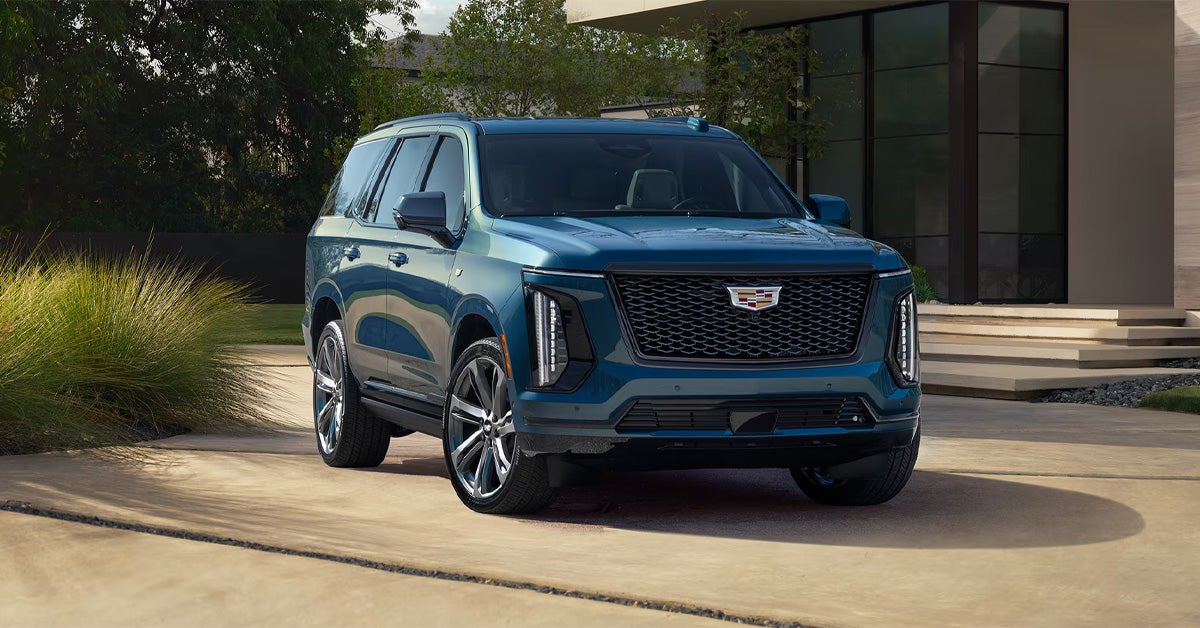
2026 Cadillac Escalade Parked on the Garage

How to Remotely Start Your Cadillac with the myCadillac App [2026]

Starting your Cadillac remotely with the myCadillac app is simple. After connecting your vehicle to your account and activating eligible connected services, you can use your smartphone to start the engine, prepare the cabin temperature, lock or unlock doors, and monitor important vehicle information from virtually anywhere. Whether you drive a Cadillac Escalade, LYRIQ, OPTIQ, or another compatible model, app-based remote start adds convenience and control to your ownership experience. At Crestview Cadillac, we are committed to helping drivers get the most from their vehicles. Whether you need assistance with connected vehicle features, routine maintenance, genuine Cadillac parts, financing solutions, or finding your next Cadillac, our team is here to help. Contact or visit Crestview Cadillac today and let us assist with all your automotive needs. Explore Our Inventory Get Directions Contact Us How to Remote Start a Cadillac with the myCadillac App Step by Step Once your vehicle is connected and your account is set up, remote starting through the myCadillac app takes only a few moments. It is a simple process that helps prepare your Cadillac before you even step outside, whether you are heading out early in the morning or returning after a long day. Step 1: Open the App and select your vehicle. Launch the myCadillac app and make sure the correct vehicle is displayed on your home screen. This step is important for anyone using the myCadillac app for remote start, especially if more than one vehicle is linked to the account. Step 2: Access Remote Commands From the home screen, go to the Remote Commands section. You will typically see options such as Start or Climate, depending on your vehicle setup. Step 3: Start the Engine Tap Start and confirm the request if prompted. The app will send the command through Cadillac’s connected system to your vehicle. Step 4: Wait for Confirmation Once the command is accepted, your vehicle will start and begin preparing the cabin based on your previous climate settings. In models like the LYRIQ, this can help create a more comfortable interior before you arrive. Step 5: Drive When Ready When you reach your vehicle, unlock it, enter, and press the brake pedal to begin driving as normal. Remote starting your Cadillac adds everyday convenience that quickly becomes part of your routine. If you need help setting up features or learning more about your vehicle’s connected capabilities, Crestview Cadillac is ready to assist. What Is the myCadillac App, and How Does Cadillac Remote Start Work? The myCadillac app is a mobile application that allows Cadillac owners to stay connected to their vehicles using a smartphone. Instead of relying solely on a key fob, drivers can access a variety of remote features from almost anywhere, including remote start, door lock and unlock functions, vehicle status updates, and more. For many owners, one of the most valuable features is remote start. If you have ever stepped into a vehicle on a freezing winter morning or after it has been sitting in the summer sun, you already understand the appeal. Learning how to remotely start a Cadillac with myCadillac app can make daily driving more comfortable by allowing the vehicle to begin preparing the cabin before you even open the door. How Does Remote Start Through the App Work? When you send a remote start command through the myCadillac app, the process happens behind the scenes in just a few moments: You open the app on your smartphone. You select the remote start function. The command is sent through Cadillac's connected vehicle network. The vehicle receives the request and starts the engine (when all operating conditions are met). Unlike a traditional key fob, which typically works only within a limited distance, the app can communicate through cellular networks. This allows eligible vehicles to receive commands from much farther away, making it especially convenient when you're at work, shopping, or preparing to leave home. More Than Just Starting the Engine Remote start is often associated with warming up or cooling down the cabin, but the myCadillac app can provide access to several other useful features, depending on the vehicle and service plan. Common features may include: Remote lock and unlock Vehicle location assistance Fuel or battery status monitoring Tire pressure information Vehicle health updates Charging information for electric vehicles For owners of the Cadillac LYRIQ, these connected features add another level of convenience. The app can help monitor charging status, estimate driving range, and prepare the cabin temperature before departure, making ownership even more seamless. A Smarter Way to Stay Connected Today's Cadillac vehicles are designed with convenience in mind, and connected technology plays a major role in that experience. Whether you're driving a LYRIQ or another compatible model, the myCadillac app helps keep important vehicle controls and information right at your fingertips. If you have questions about connected vehicle features, remote start capability, or setting up your myCadillac account, the team at Crestview Cadillac is ready to help. Contact us today to learn more about the technology available in your Cadillac and get assistance with setup, service, financing, or finding the right vehicle for your lifestyle. What Do You Need Before Using Remote Start Through the myCadillac App? Before you can remotely start your Cadillac from your smartphone, a few key requirements must be in place. Completing these steps ensures the app can communicate with your vehicle and send remote commands successfully. If you are following a myCadillac app remote start guide for 2026, start by confirming the following: Your Cadillac is equipped with remote start capability You have a GM or Cadillac account Your vehicle is linked to that account The myCadillac app is installed and up-to-date Your smartphone has an internet connection Eligible connected services and Remote Commands features are active Connect Your Vehicle to the App After signing in to the myCadillac app, you'll need to add your vehicle and verify ownership. This process may require entering your VIN and completing a few setup steps before remote features become available. Many modern Cadillac models, including the Cadillac OPTIQ, offer advanced connected vehicle technology that allows owners to access remote commands directly from the app. Check Connectivity and Service Status Unlike a traditional key fob, the myCadillac app relies on network communication. Both your smartphone and vehicle need adequate connectivity for remote start requests to work properly. In addition, some remote features require an active service plan that supports remote commands. Once your account is set up, your vehicle is connected, and services are active, you'll be ready to start your Cadillac remotely with just a few taps. If you need help with app setup, connected services, financing, service, or finding the right Cadillac for your needs, contact the team at Crestview Cadillac today. How Do You Download, Set Up, and Connect Your Cadillac to the App? Setting up the myCadillac app is a straightforward process that gives you access to remote vehicle features right from your smartphone. Before using remote start or other connected services, you'll need to download the app, sign in, and connect your vehicle. Download and Sign In Start by downloading the myCadillac app from the Apple App Store or Google Play Store. Then sign in with your GM or Cadillac account, or create a new account if you do not already have one. Add and Connect Your Vehicle Once logged in, follow these steps: Select "Add Vehicle." Enter your vehicle's VIN. Verify ownership. Complete any required activation steps. After setup is complete, your Cadillac should appear on the app's home screen. Confirm Remote Features Are Available Many features outlined in the Cadillac app's remote engine start instructions require active connected services. Check that your vehicle is properly linked and that remote commands are available in the app. Whether you drive a Cadillac Escalade or another compatible model, completing these steps will prepare you to use remote start and other convenient connected features. If you need help with setup or activation, contact Crestview Cadillac for assistance. What Climate Control Features Can You Use During Remote Start? Remote start does more than turn the engine on. It also prepares the cabin so your Cadillac feels more comfortable before you even open the door. During Cadillac smartphone remote start setup, climate control is one of the most useful features because it directly improves comfort from the moment you approach the vehicle. How Climate Settings Activate Automatically When you start your Cadillac remotely, the system applies your last saved climate settings. The vehicle begins adjusting temperature and airflow right away so the interior is closer to your preferred comfort level when you enter. In newer models like the OPTIQ, this process is designed to feel seamless, especially during temperature swings throughout the day. Common Comfort Features During Remote Start Depending on your vehicle’s equipment, you may notice: Cabin heating or air conditioning activation Front and rear defrosters Heated seats and steering wheel (if equipped) Automatic fan adjustment based on prior settings These features work together to reduce the time needed to make the cabin comfortable once you get inside. Why It Makes Everyday Driving Easier Instead of stepping into a hot or cold cabin, your vehicle is already closer to the right temperature. This makes early mornings, evening commutes, and unexpected weather changes easier to handle. It is a small convenience that quickly becomes part of your daily routine once you rely on it. How Do I Remotely Start My Cadillac Using the myCadillac App? To remotely start your Cadillac using the myCadillac app, open the app, select your vehicle, go to Remote Commands on the home screen, tap Start (or Climate), and confirm the request. The vehicle will start once the command is successfully sent and all required conditions are met. Which Cadillac Models Support Remote Start Through the myCadillac App? Many newer Cadillac models support remote start through the myCadillac app, including the Escalade, LYRIQ, OPTIQ, XT4, XT5, XT6, CT4, and CT5, depending on model year, trim, and connected services availability. Why Is My Cadillac App Remote Start Feature Not Working? The myCadillac app remote start feature may not work due to account connection issues, inactive or expired connected services, weak cellular or internet signal, an outdated app, or vehicle conditions that prevent remote start, such as a key fob left inside the vehicle. Do I Need a Subscription To Use Remote Start in the MyCadillac App? Yes, most Cadillac vehicles require an active connected services plan that includes remote commands to use remote start through the myCadillac app. Can I control climate settings through the MyCadillac app remote start feature? Yes, you can control climate-related functions through remote start, including heating, air conditioning, defrosters, and other pre-conditioning features, depending on vehicle equipment and settings. Stay Connected and Make Every Drive More Convenient Learning how to remotely start your Cadillac is just one part of getting the most out of your vehicle. Once it becomes part of your routine, it quickly feels natural. A few taps on your phone can prepare your Cadillac before you even step outside, adding comfort and control to everyday driving. If you are still exploring connected features or want help getting everything set up correctly, Crestview Cadillac is here to make the process simple. Our team can walk you through setup, answer questions, and help ensure your vehicle’s technology is working the way it should. Explore More Cadillac Technology and Model Comparisons Drivers across Vincent, Irwindale, Valinda, and Walnut often want to compare models and features before choosing their next vehicle. From advanced electric capability to refined luxury and performance, understanding the differences can help you make a more confident decision. You can continue learning more through helpful resources like Cadillac luxury trims comparison, Cadillac EV vs luxury electric SUVs, and Cadillac SUV lineup differences. These guides break down how different models compare in comfort, technology, and driving experience. Find Your Next Cadillac Whether you are interested in the all-electric LYRIQ, the compact OPTIQ, or the commanding presence of an Escalade, Crestview Cadillac offers a wide selection designed for different driving needs and lifestyles. If you are ready to take the next step or want help with remote features and connected services, contact Crestview Cadillac today. Our team is here to assist with sales, service, financing, and everything you need to stay confidently connected to your Cadillac. Get Directions to Crestview Cadillac Disclaimer: All information is provided for general informational and entertainment purposes only. While we strive for accuracy, we cannot guarantee that all content is complete, current, or error-free. Any reliance you place on such information is strictly at your own risk. This article may include opinions and is not endorsed by, or officially affiliated with, any vehicle manufacturer or brand. Always consult official sources – such as the vehicle’s owner’s manual, authorized dealerships, or certified professionals – for the most up-to-date and personalized information.

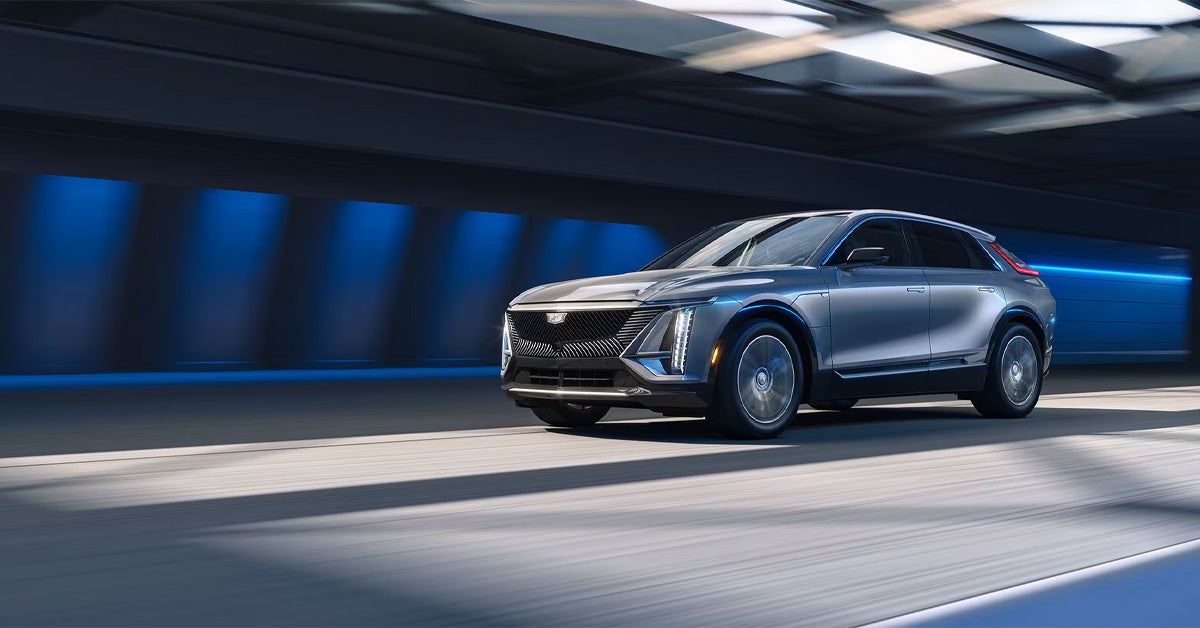
2026 Cadillac LYRIQ driving under a tunnel

How Far Can Your Cadillac Get on a Full Tank of Gas? [2026]

A Cadillac’s full-tank driving range in 2026 typically falls between about 300 and 600+ miles, depending on the model, fuel tank size, and EPA MPG ratings. Larger SUVs like the Escalade deliver strong highway capability but shorter city range, while efficient models such as the XT5 and CT5 sedan can travel significantly farther on a single tank under ideal conditions. In simple terms, fuel range is the result of MPG performance multiplied by tank capacity, shaped heavily by real-world driving habits. Crestview Cadillac is here to support every step of your ownership experience, from finding the right vehicle to keeping it performing at its best. Whether you are exploring new models like the Escalade, LYRIQ, or OPTIQ or need expert service, parts, financing options, or maintenance support, our team is ready to help. Contact us today or visit Crestview Cadillac to get personalized assistance and answers tailored to your driving needs. Explore Our Inventory Get Directions Contact Us How Far Can a Cadillac Go on a Full Tank in Real Driving Conditions? How far a Cadillac can go on a full tank depends heavily on real-world conditions rather than just official estimates. While MPG ratings and tank size provide a starting point, everyday driving habits and road conditions play a much bigger role in actual distance between fill-ups. What changes fuel range in everyday driving Real-world range can shift quickly based on a few key factors: Stop-and-go traffic that lowers efficiency Highway driving that improves fuel economy Cold weather and seasonal temperature changes Driving style, including acceleration and braking habits Vehicle load from passengers or cargo Because of these variables, the same vehicle can deliver very different results depending on the trip. City driving vs highway travel In most cases, range splits into two clear scenarios: City driving: shorter distance per tank due to frequent stops Highway driving: longer range thanks to steady speeds and better MPG This difference is noticeable during daily commuting compared to weekend or longer-distance travel. Where the OPTIQ experience fits in The reflects how modern Cadillac efficiency adapts to real conditions. Smooth driving, consistent speeds, and efficient energy use all play a role in maximizing distance, especially in mixed city and highway use. Visit us or contact our team to explore your options and find a Cadillac that fits your daily and long-distance driving needs. Cadillac Fuel Range 2026 Across Escalade, XT5, XT6, XT4, and CT5 Cadillac gas mileage and driving range differ across the lineup because each model is built for a specific kind of driving. Some focus on size and comfort, while others are designed to maximize efficiency and extend time between fuel stops. Escalade: capability with longer highway focus The Escalade prioritizes power, space, and luxury. Its fuel range reflects that balance. Lower MPG in city driving - 14 city/18 hwy Strong highway range for long trips More frequent refueling in stop-and-go traffic It suits drivers who value comfort, towing capability, and highway travel. XT5: efficiency leader among SUVs The XT5 is often considered one of the most efficient Cadillac SUVs for real-world driving. Strong MPG for its class - 22 city/29 hwy (FWD) Excellent highway driving range Well-balanced for daily commuting and travel XT6: balanced three-row versatility The XT6 offers more space while maintaining solid efficiency. Moderate fuel use for a three-row SUV Reliable range for family trips Balanced city and highway performance XT4: compact efficiency for city driving The XT4 is smaller and more fuel-friendly in urban conditions. Efficient in stop-and-go traffic Practical range for daily commuting Easier to manage in tighter driving environments CT5: strongest highway range among the group The CT5 benefits from sedan efficiency and aerodynamics. Better highway mileage than most SUVs - 23 city/32 hwy Strong long-distance driving range Comfortable commuter-friendly performance Find the right Cadillac for your routine The best choice depends on how far and how often you drive. Whether you prioritize efficiency, space, or long-distance comfort, there is a model built to match your needs. Crestview Cadillac can help you compare these options in detail and choose the right fit for your daily driving in Vincent, Irwindale, Valinda, and Walnut. Contact us today or visit the dealership to get started. Cadillac Gas Mileage and Driving Range Comparison Across SUVs and Sedans Cadillac MPG estimates 2026 highlight a clear difference between SUVs and sedans, mainly based on size, weight, and aerodynamics. SUVs offer space and versatility, while sedans typically deliver stronger highway efficiency and longer range between fuel stops. SUVs: flexible but efficiency varies by size Cadillac SUVs are built for comfort and capability, which naturally affects fuel economy. Larger models use more fuel in city driving, while smaller options tend to perform better in daily commuting. Key takeaways: Larger SUVs prioritize space and power over MPG Compact SUVs are more efficient in urban driving Highway travel improves overall range across the lineup Stop-and-go traffic has the biggest impact on fuel use Sedans: stronger highway efficiency Sedans generally deliver better long-distance efficiency thanks to lighter weight and improved aerodynamics. This often results in more consistent driving range on highways compared to larger vehicles. Typical benefits include the following: Higher MPG during highway driving More predictable fuel range Lower overall fuel consumption in steady conditions Where the LYRIQ fits into the picture The LYRIQ introduces a different approach to range, focusing on electric efficiency instead of fuel economy. Instead of MPG, range is influenced by energy use and charging habits. In everyday driving: Smooth acceleration helps extend range City driving can still deliver strong efficiency Charging replaces traditional fuel stop planning Find the right fit for your driving needs The best choice depends on how and where you drive most. City commuters may prefer efficiency-focused models, while highway drivers often benefit from sedan performance. SUVs remain ideal for space and versatility. Crestview Cadillac can help you compare models and understand real-world driving range based on your routine in and around Vincent, Irwindale, Valinda, and Walnut. Contact us or visit the dealership to explore your options. How LYRIQ and OPTIQ Reflect Cadillac’s Efficiency and Range Strategy Cadillac fuel range 2026 reflects a shift in how efficiency is measured, moving beyond traditional fuel economy into a broader focus on energy use and driving range. Models like the LYRIQ and OPTIQ highlight this evolution by showing how Cadillac balances performance, efficiency, and everyday usability across both electric and gas-powered options. Moving beyond traditional fuel economy Instead of relying only on MPG, Cadillac now considers overall energy efficiency and how consistently a vehicle performs in real-world conditions. Key elements of this approach include: Smarter energy use across city and highway driving More consistent real-world range performance Improved balance between power and efficiency A broader view of what driving distance means today The LYRIQ plays a major role in this shift, introducing a fully electric experience where range is shaped by battery efficiency rather than fuel consumption. How the LYRIQ changes the idea of range The LYRIQ redefines how drivers think about distance and refueling. Without a gas tank, range depends on energy management and driving behavior. In daily use, it delivers: Smooth, efficient acceleration Strong performance in both city and highway settings Reduced need for traditional refueling stops A modern approach to long-distance planning Where the OPTIQ fits in The OPTIQ supports Cadillac’s broader efficiency strategy by focusing on compact design and everyday practicality. It is built to handle varied driving conditions while maintaining consistent energy use. It stands out for: Efficient performance in stop-and-go traffic Balanced range for commuting and travel Smart energy use across different driving styles What this means for everyday drivers For drivers in Vincent, Irwindale, Valinda, and Walnut, this shift means more flexibility when choosing a vehicle. Whether focused on traditional fuel efficiency or electric driving, Cadillac offers options that support different lifestyles without compromising comfort. Find the right efficiency balance for your needs Understanding how Cadillac’s lineup is evolving makes it easier to choose the right model for your daily driving. At Crestview Cadillac, you can compare both fuel-powered and electric options and get clear guidance on real-world range and efficiency. Visit us or contact the team today to explore your options and find the Cadillac that fits your driving needs. At Crestview Cadillac, we can help you understand how different models perform in real-world conditions and what to expect based on your driving habits. Visit us or contact our team to compare options and find the right fit for your needs. How Far Can a Cadillac Travel on a Full Tank of Gas? A Cadillac can travel about 300 to 600+ miles on a full tank depending on the model, fuel tank size, and driving conditions. Which 2026 Cadillac Model Has the Best Fuel Economy? The most fuel-efficient Cadillac models in 2026 are compact and electric-focused options like the OPTIQ and LYRIQ, which offer the highest efficiency ratings in the lineup. How Does Driving Style Affect a Cadillac’s Fuel Range? Driving style directly impacts range, with smooth acceleration and steady speeds improving distance, while aggressive driving, rapid braking, and idling reduce fuel efficiency. What Factors Impact Cadillac Gas Mileage and Efficiency? Key factors include city vs highway driving, vehicle size, drivetrain (AWD vs FWD), weather conditions, tire size, vehicle load, and overall maintenance. Are Cadillac SUVs Fuel-Efficient for Long-Distance Driving? Yes, many Cadillac SUVs are efficient for long-distance travel, especially on highways, with models like the XT5 offering strong range, while larger SUVs like the Escalade prioritize power and comfort over maximum fuel economy. Explore Cadillac Range, Efficiency, and Your Next Vehicle Understanding how far a vehicle can travel on a full tank comes down to more than just numbers on a spec sheet. It is about matching driving habits with the right balance of efficiency, comfort, and capability. Whether the priority is long highway travel, daily commuting, or a mix of both, Cadillac offers options designed to fit a wide range of needs. Continue exploring Cadillac performance and innovation Drivers who want a closer look at how different models compare can also explore how luxury, efficiency, and technology shape today’s lineup. From comparisons of elevated trims to all-electric performance discussions, there is more insight available into how Cadillac continues to evolve across both gas and electric platforms. For example, you can learn more about Escalade Luxury vs. Platinum Luxury, see how traditional SUVs compare in efficiency and comfort against newer electric rivals in Model Y vs. Escalade IQ, or explore premium electric SUV matchups like LYRIQ Sport vs. BMW iX xDrive60. Visit Crestview Cadillac for personalized guidance If you are in Vincent, Irwindale, Valinda, or Walnut, Crestview Cadillac is here to help you explore the full lineup in person. Whether you are considering the LYRIQ, OPTIQ, Escalade, or another Cadillac model, our team can walk you through real-world range expectations, features, and performance details. We invite you to continue exploring our selection online or stop by the dealership to see what fits your lifestyle best. Reach out today to get expert guidance and find a Cadillac that matches the way you drive every day. Get Directions to Crestview Cadillac Disclaimer: All information is provided for general informational and entertainment purposes only. While we strive for accuracy, we cannot guarantee that all content is complete, current, or error-free. Any reliance you place on such information is strictly at your own risk. This article may include opinions and is not endorsed by, or officially affiliated with, any vehicle manufacturer or brand. Always consult official sources – such as the vehicle’s owner’s manual, authorized dealerships, or certified professionals – for the most up-to-date and personalized information.

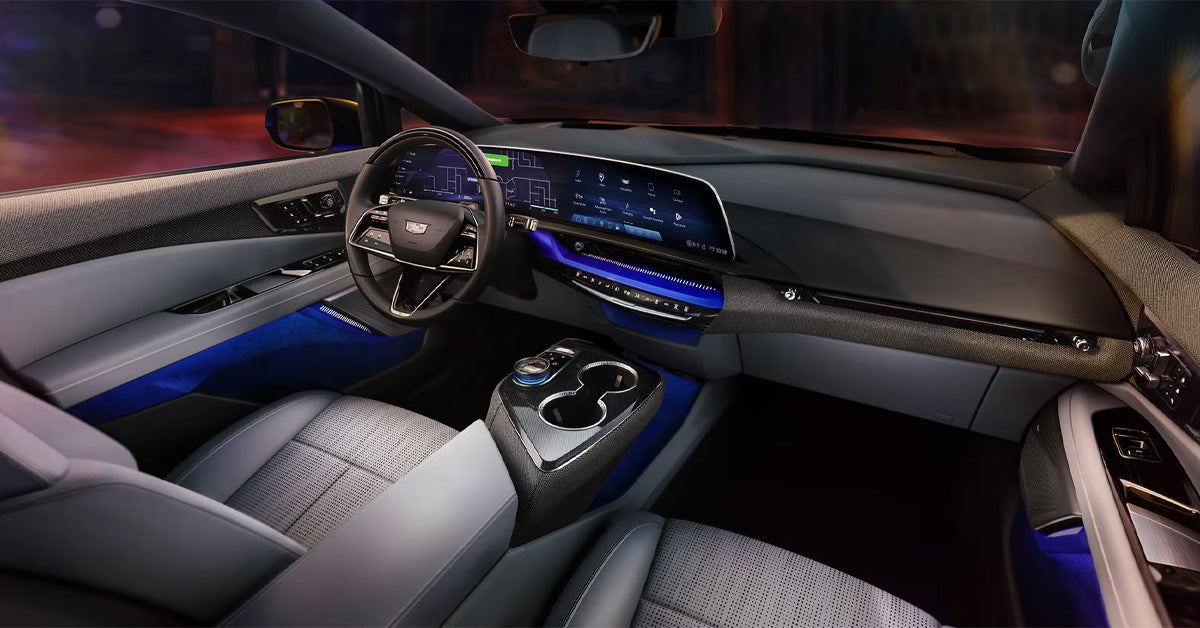
2026 Cadillac OPTIQ Interior Dashboard

How to Remotely Turn on the Heating & AC in Your Cadillac [2026]

In 2026, you can remotely start your Cadillac’s heating and AC via either the myCadillac app or the key fob remote start function, allowing the vehicle to pre-condition the cabin before you enter. Once activated, the system automatically adjusts temperature, airflow, and available comfort settings based on your last preferences so the interior is ready when you are. This feature works across supported models like the LYRIQ, OPTIQ, and Escalade to deliver consistent comfort in any season. Crestview Cadillac is here to help you with every part of your ownership journey, including vehicle sales, certified service, genuine parts, and flexible financing options. Whether you are exploring a new Cadillac or need help maintaining your current one, our team is ready to guide you with straightforward support. Contact us today or visit Crestview Cadillac to get started with expert assistance and a seamless experience from financing to service and beyond. Explore Our Inventory Get Directions Contact Us What Steps Are Required to Turn on Cadillac Heating and AC Remotely Using the myCadillac App? The myCadillac app gives you full access to Cadillac remote climate control 2026 features, allowing you to start heating or cooling your vehicle before you even step outside. This helps ensure the cabin is comfortable right when you get in, whether you are heading out early in the morning or finishing a long day. In newer models like the OPTIQ, the system responds quickly and smoothly, making remote setup feel effortless. Simple steps to start climate control Once your vehicle is connected to the app, the process only takes a few taps: Open the myCadillac app and select your vehicle Tap into the “Controls” menu Choose the climate option Select heating or AC Press start to activate The system will automatically adjust based on your last saved settings. What happens after activation After you start the system, your Cadillac begins preparing the cabin by: Adjusting the temperature based on your last preference Activating airflow and fan settings automatically Preparing the interior before you enter This means you can step into a vehicle that already feels ready, no matter the weather conditions outside in areas like Valinda or Irwindale. Why does it make daily driving easier? Instead of waiting for the cabin to warm up or cool down, everything is handled in advance through your phone. It adds convenience, especially on busy days when timing matters. If you need help setting up your app or learning how to use remote climate features in your OPTIQ, Crestview Cadillac can assist with setup and guidance so everything works exactly as intended. How Do You Remotely Start Cadillac AC and Heat Using the Key Fob or Remote Start Feature? The key fob remote start system gives you a fast way to remotely start the Cadillac AC and heat without using your phone. It activates your vehicle’s climate system based on your last saved settings, so the cabin begins adjusting before you even open the door. In larger models like the Escalade, this feature is especially helpful since it helps bring the interior to a comfortable temperature more quickly. How to activate remote start with the key fob Using the key fob only takes a few seconds: Press the lock button twice Press and hold the remote start button Wait for confirmation from the lights or the horn Once activated, the vehicle starts preparing the cabin automatically. What the system does after starting After the remote start is engaged, your Cadillac will: Adjust heating or cooling based on prior settings Activate defrost or ventilation when needed Begin conditioning the cabin before entry Run for a limited time before shutting off This ensures the vehicle is ready when you are, without extra steps. Why is it useful in everyday situations On a cold morning in Irwindale or a warm afternoon in Valinda, starting your Escalade ahead of time means stepping into a cabin that already feels close to ideal. It removes the wait time and makes every drive feel more comfortable from the moment you enter. If you need help getting familiar with remote start or want to explore Escalade models with advanced climate features, Crestview Cadillac can assist with setup and guidance so everything works smoothly from the start. What Climate Customization Options Are Available Through Cadillac Remote Controls? Cadillac remote climate features allow more than just turning the system on. Through Cadillac remote start climate settings, you can adjust key comfort preferences before entering the vehicle so the cabin is already aligned with how you like it. In models like the LYRIQ, these adjustments respond quickly and smoothly, making pre-conditioning feel seamless. Key settings you can control remotely Once connected through the app or remote start system, you can manage several comfort options: Cabin temperature adjustment based on your preference Fan speed control for stronger or softer airflow Airflow direction to target specific areas Sync settings to unify cabin zones Last-used climate preferences that restore automatically These settings work together to prepare the interior, not just activate it. How it feels in everyday use On a cool morning in Walnut, you can set a warmer, gentle airflow before leaving home. On a hot afternoon in Valinda, a stronger cooling setting can be activated in advance so the cabin feels comfortable right away. Instead of waiting for the system to adjust after starting the vehicle, everything is already in place. Why these options matter These remote adjustments help you: Enter a cabin that already feels comfortable Reduce manual changes after starting the vehicle Maintain consistent comfort across weather changes Improve overall driving readiness If you want help getting these features set up or want to see how they work in a LYRIQ, Crestview Cadillac can walk you through the process and make sure your system is fully optimized for daily use. How Do LYRIQ, OPTIQ, and Escalade Models Enhance Remote Climate Comfort? Cadillac’s newer models refine remote climate control by making pre-conditioning faster, smarter, and more consistent. The Cadillac heating and AC remote access guide for these vehicles highlights improved response times and better integration with driver preferences, so the cabin feels ready before you even open the door. How each model improves comfort Each vehicle handles remote climate control in a slightly different way based on its design and technology: LYRIQ The electric platform enables quick, quiet preconditioning Efficient temperature control without engine delay Smooth cabin-wide comfort before entry OPTIQ Fast, responsive climate activation through connected systems Easy syncing with saved preferences Well-balanced comfort for daily driving needs Escalade Strong multi-zone climate performance for a larger cabin Consistent heating and cooling across all rows Enhanced comfort for passengers in every seat Why these differences matter While the goal is the same, each model delivers a tailored experience based on size and system design. Smaller cabins respond quickly and efficiently, while larger SUVs focus on maintaining comfort across multiple seating areas. A more comfortable start every time From solo commutes to family trips around Irwindale or Walnut, these systems help ensure the cabin is already comfortable before you step in. It reduces wait time and makes every drive feel more controlled from the start. If you want help understanding which model fits your needs or need assistance setting up remote climate features, Crestview Cadillac can guide you through the process and make sure everything is ready for everyday use. What Limitations or Requirements Should You Know About Cadillac Remote Climate Features? Cadillac's 2026 remote climate control 2026 features are highly convenient, but they do require a few conditions to work properly. In models like the OPTIQ, performance is smooth once set up, but remote heating and cooling depend on connectivity, subscriptions, and system settings. Key requirements to use remote climate control Before using remote features, make sure the following are in place: Active myCadillac account with your vehicle connected Eligible OnStar or connected services plan Stable cellular connection for remote commands Properly enabled vehicle remote settings Without these, remote climate commands may not activate. Built-in system limits to know Even when everything is active, the system operates within set limits: Remote start runs for a limited duration before shutting off Climate adjustments follow stored settings, not manual fine-tuning in real time Extreme temperatures may take longer to fully balance the cabin Additional remote starts may be needed in harsh weather These safeguards help protect the vehicle while maintaining comfort. Why this matters in daily use On a cold morning in Walnut or a warm afternoon in Irwindale, you may notice the cabin improves gradually rather than instantly. This is normal and part of how the system manages efficiency and safety. If you want help confirming your connected services or setting up remote climate features in your OPTIQ, Crestview Cadillac can assist so everything is properly activated and ready for everyday use. How Does Cadillac Remote Climate Control Improve Daily Driving in Vincent, Irwindale, Valinda, and Walnut? How Do I Remotely Turn on the Heating or AC in My Cadillac? You can remotely turn on the heating or AC in your Cadillac using the myCadillac app by selecting your vehicle, opening Controls, choosing Climate, and starting the system. You can also use the key fob remote start feature, which activates your last saved climate settings automatically. Can I Control My Cadillac’s Climate Settings With the Key Fob or App? Yes, you can control your Cadillac’s climate settings with both the myCadillac app and the key fob. Both options allow you to start the vehicle remotely and activate heating or cooling based on your previously saved preferences. Which 2026 Cadillac Models Offer Remote Climate Control? Most newer Cadillac models with remote start and connected services support remote climate control, including vehicles like the LYRIQ, OPTIQ, and Escalade, depending on configuration and active subscription services. Why Is My Cadillac Remote Heating or AC Feature Not Working? Your remote heating or AC feature may not work if your connected services subscription is inactive, the vehicle is outside cellular range, the myCadillac app is not properly connected, or remote start features are turned off in vehicle settings. Does Remote Climate Control Automatically Adjust Cabin Temperature in a Cadillac? Yes, Cadillac remote climate control automatically adjusts cabin temperature based on your last saved settings and current conditions. It manages heating, cooling, fan speed, and airflow without requiring manual adjustments each time. Stay Connected to Cadillac Comfort and Remote Convenience Remote climate control is only one part of what makes modern Cadillac ownership more convenient. Being able to prepare your cabin before you enter adds everyday comfort that quickly becomes second nature, whether you are heading to work or starting a weekend drive. It is a simple feature that makes a noticeable difference in how each trip begins. Explore Cadillac technology and luxury in person Drivers from Vincent, Irwindale, Valinda, and Walnut can explore a full lineup of models like the LYRIQ, OPTIQ, and Escalade, each offering advanced comfort and connected features designed for daily use. If you are comparing options, it can also help to look at how Cadillac models stack up against others in their class. Insights like Cadillac Escalade Luxury vs. Platinum Luxury and Cadillac LYRIQ Sport vs. BMW iX xDrive60, along with considerations around the downsides of the Tesla Model Y vs. Cadillac Escalade IQ, offer a closer look at performance, comfort, and technology differences that matter in real driving situations. Experience it for yourself at Crestview Cadillac If you want help learning more about remote climate features or exploring available Cadillac models, Crestview Cadillac is ready to assist. Our team can guide you through features, comparisons, and inventory so you can choose the right fit with confidence. Visit or contact Crestview Cadillac today to get started and experience how Cadillac comfort and technology work together on every drive. Get Directions to Crestview Cadillac Disclaimer: All information is provided for general informational and entertainment purposes only. While we strive for accuracy, we cannot guarantee that all content is complete, current, or error-free. Any reliance you place on such information is strictly at your own risk. This article may include opinions and is not endorsed by, or officially affiliated with, any vehicle manufacturer or brand. Always consult official sources – such as the vehicle’s owner’s manual, authorized dealerships, or certified professionals – for the most up-to-date and personalized information.