



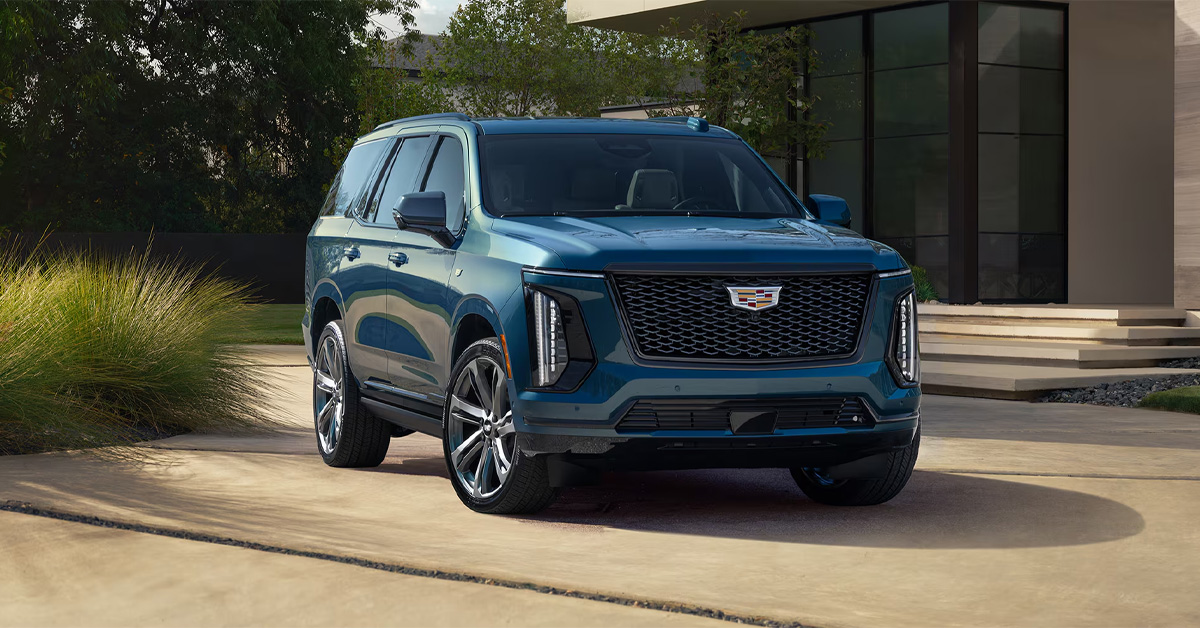
Starting your Cadillac remotely with the myCadillac app is simple. After connecting your vehicle to your account and activating eligible connected services, you can use your smartphone to start the engine, prepare the cabin temperature, lock or unlock doors, and monitor important vehicle information from virtually anywhere. Whether you drive a Cadillac Escalade, LYRIQ, OPTIQ, or another compatible model, app-based remote start adds convenience and control to your ownership experience.
At Crestview Cadillac, we are committed to helping drivers get the most from their vehicles. Whether you need assistance with connected vehicle features, routine maintenance, genuine Cadillac parts, financing solutions, or finding your next Cadillac, our team is here to help. Contact or visit Crestview Cadillac today and let us assist with all your automotive needs.
How to Remote Start a Cadillac with the myCadillac App Step by Step
Once your vehicle is connected and your account is set up, remote starting through the myCadillac app takes only a few moments. It is a simple process that helps prepare your Cadillac before you even step outside, whether you are heading out early in the morning or returning after a long day.
Step 1: Open the App and select your vehicle.
Launch the myCadillac app and make sure the correct vehicle is displayed on your home screen. This step is important for anyone using the myCadillac app for remote start, especially if more than one vehicle is linked to the account.
Step 2: Access Remote Commands
From the home screen, go to the Remote Commands section. You will typically see options such as Start or Climate, depending on your vehicle setup.
Step 3: Start the Engine
Tap Start and confirm the request if prompted. The app will send the command through Cadillac’s connected system to your vehicle.
Step 4: Wait for Confirmation
Once the command is accepted, your vehicle will start and begin preparing the cabin based on your previous climate settings. In models like the LYRIQ, this can help create a more comfortable interior before you arrive.
Step 5: Drive When Ready
When you reach your vehicle, unlock it, enter, and press the brake pedal to begin driving as normal.
Remote starting your Cadillac adds everyday convenience that quickly becomes part of your routine. If you need help setting up features or learning more about your vehicle’s connected capabilities, Crestview Cadillac is ready to assist.
What Is the myCadillac App, and How Does Cadillac Remote Start Work?
The myCadillac app is a mobile application that allows Cadillac owners to stay connected to their vehicles using a smartphone. Instead of relying solely on a key fob, drivers can access a variety of remote features from almost anywhere, including remote start, door lock and unlock functions, vehicle status updates, and more.
For many owners, one of the most valuable features is remote start. If you have ever stepped into a vehicle on a freezing winter morning or after it has been sitting in the summer sun, you already understand the appeal. Learning how to remotely start a Cadillac with myCadillac app can make daily driving more comfortable by allowing the vehicle to begin preparing the cabin before you even open the door.
How Does Remote Start Through the App Work?
When you send a remote start command through the myCadillac app, the process happens behind the scenes in just a few moments:
- You open the app on your smartphone.
- You select the remote start function.
- The command is sent through Cadillac’s connected vehicle network.
- The vehicle receives the request and starts the engine (when all operating conditions are met).
Unlike a traditional key fob, which typically works only within a limited distance, the app can communicate through cellular networks. This allows eligible vehicles to receive commands from much farther away, making it especially convenient when you’re at work, shopping, or preparing to leave home.
More Than Just Starting the Engine
Remote start is often associated with warming up or cooling down the cabin, but the myCadillac app can provide access to several other useful features, depending on the vehicle and service plan.
Common features may include:
- Remote lock and unlock
- Vehicle location assistance
- Fuel or battery status monitoring
- Tire pressure information
- Vehicle health updates
- Charging information for electric vehicles
For owners of the Cadillac LYRIQ, these connected features add another level of convenience. The app can help monitor charging status, estimate driving range, and prepare the cabin temperature before departure, making ownership even more seamless.
A Smarter Way to Stay Connected
Today’s Cadillac vehicles are designed with convenience in mind, and connected technology plays a major role in that experience. Whether you’re driving a LYRIQ or another compatible model, the myCadillac app helps keep important vehicle controls and information right at your fingertips.
If you have questions about connected vehicle features, remote start capability, or setting up your myCadillac account, the team at Crestview Cadillac is ready to help. Contact us today to learn more about the technology available in your Cadillac and get assistance with setup, service, financing, or finding the right vehicle for your lifestyle.
What Do You Need Before Using Remote Start Through the myCadillac App?
Before you can remotely start your Cadillac from your smartphone, a few key requirements must be in place. Completing these steps ensures the app can communicate with your vehicle and send remote commands successfully.
If you are following a myCadillac app remote start guide for 2026, start by confirming the following:
- Your Cadillac is equipped with remote start capability
- You have a GM or Cadillac account
- Your vehicle is linked to that account
- The myCadillac app is installed and up-to-date
- Your smartphone has an internet connection
- Eligible connected services and Remote Commands features are active
Connect Your Vehicle to the App
After signing in to the myCadillac app, you’ll need to add your vehicle and verify ownership. This process may require entering your VIN and completing a few setup steps before remote features become available.
Many modern Cadillac models, including the Cadillac OPTIQ, offer advanced connected vehicle technology that allows owners to access remote commands directly from the app.
Check Connectivity and Service Status
Unlike a traditional key fob, the myCadillac app relies on network communication. Both your smartphone and vehicle need adequate connectivity for remote start requests to work properly. In addition, some remote features require an active service plan that supports remote commands.
Once your account is set up, your vehicle is connected, and services are active, you’ll be ready to start your Cadillac remotely with just a few taps. If you need help with app setup, connected services, financing, service, or finding the right Cadillac for your needs, contact the team at Crestview Cadillac today.
How Do You Download, Set Up, and Connect Your Cadillac to the App?
Setting up the myCadillac app is a straightforward process that gives you access to remote vehicle features right from your smartphone. Before using remote start or other connected services, you’ll need to download the app, sign in, and connect your vehicle.
Download and Sign In
Start by downloading the myCadillac app from the Apple App Store or Google Play Store. Then sign in with your GM or Cadillac account, or create a new account if you do not already have one.
Add and Connect Your Vehicle
Once logged in, follow these steps:
- Select “Add Vehicle.”
- Enter your vehicle’s VIN.
- Verify ownership.
- Complete any required activation steps.
After setup is complete, your Cadillac should appear on the app’s home screen.
Confirm Remote Features Are Available
Many features outlined in the Cadillac app’s remote engine start instructions require active connected services. Check that your vehicle is properly linked and that remote commands are available in the app.
Whether you drive a Cadillac Escalade or another compatible model, completing these steps will prepare you to use remote start and other convenient connected features. If you need help with setup or activation, contact Crestview Cadillac for assistance.
What Climate Control Features Can You Use During Remote Start?
Remote start does more than turn the engine on. It also prepares the cabin so your Cadillac feels more comfortable before you even open the door. During Cadillac smartphone remote start setup, climate control is one of the most useful features because it directly improves comfort from the moment you approach the vehicle.
How Climate Settings Activate Automatically
When you start your Cadillac remotely, the system applies your last saved climate settings. The vehicle begins adjusting temperature and airflow right away so the interior is closer to your preferred comfort level when you enter.
In newer models like the OPTIQ, this process is designed to feel seamless, especially during temperature swings throughout the day.
Common Comfort Features During Remote Start
Depending on your vehicle’s equipment, you may notice:
- Cabin heating or air conditioning activation
- Front and rear defrosters
- Heated seats and steering wheel (if equipped)
- Automatic fan adjustment based on prior settings
These features work together to reduce the time needed to make the cabin comfortable once you get inside.
Why It Makes Everyday Driving Easier
Instead of stepping into a hot or cold cabin, your vehicle is already closer to the right temperature. This makes early mornings, evening commutes, and unexpected weather changes easier to handle.
It is a small convenience that quickly becomes part of your daily routine once you rely on it.
How Do I Remotely Start My Cadillac Using the myCadillac App?
To remotely start your Cadillac using the myCadillac app, open the app, select your vehicle, go to Remote Commands on the home screen, tap Start (or Climate), and confirm the request. The vehicle will start once the command is successfully sent and all required conditions are met.
Which Cadillac Models Support Remote Start Through the myCadillac App?
Many newer Cadillac models support remote start through the myCadillac app, including the Escalade, LYRIQ, OPTIQ, XT4, XT5, XT6, CT4, and CT5, depending on model year, trim, and connected services availability.
Why Is My Cadillac App Remote Start Feature Not Working?
The myCadillac app remote start feature may not work due to account connection issues, inactive or expired connected services, weak cellular or internet signal, an outdated app, or vehicle conditions that prevent remote start, such as a key fob left inside the vehicle.
Do I Need a Subscription To Use Remote Start in the MyCadillac App?
Yes, most Cadillac vehicles require an active connected services plan that includes remote commands to use remote start through the myCadillac app.
Can I control climate settings through the MyCadillac app remote start feature?
Yes, you can control climate-related functions through remote start, including heating, air conditioning, defrosters, and other pre-conditioning features, depending on vehicle equipment and settings.
Stay Connected and Make Every Drive More Convenient
Learning how to remotely start your Cadillac is just one part of getting the most out of your vehicle. Once it becomes part of your routine, it quickly feels natural. A few taps on your phone can prepare your Cadillac before you even step outside, adding comfort and control to everyday driving.
If you are still exploring connected features or want help getting everything set up correctly, Crestview Cadillac is here to make the process simple. Our team can walk you through setup, answer questions, and help ensure your vehicle’s technology is working the way it should.
Explore More Cadillac Technology and Model Comparisons
Drivers across Vincent, Irwindale, Valinda, and Walnut often want to compare models and features before choosing their next vehicle. From advanced electric capability to refined luxury and performance, understanding the differences can help you make a more confident decision.
You can continue learning more through helpful resources like Cadillac luxury trims comparison, Cadillac EV vs luxury electric SUVs, and Cadillac SUV lineup differences. These guides break down how different models compare in comfort, technology, and driving experience.
Find Your Next Cadillac
Whether you are interested in the all-electric LYRIQ, the compact OPTIQ, or the commanding presence of an Escalade, Crestview Cadillac offers a wide selection designed for different driving needs and lifestyles.
If you are ready to take the next step or want help with remote features and connected services, contact Crestview Cadillac today. Our team is here to assist with sales, service, financing, and everything you need to stay confidently connected to your Cadillac.
Get Directions to Crestview Cadillac
Disclaimer: All information is provided for general informational and entertainment purposes only. While we strive for accuracy, we cannot guarantee that all content is complete, current, or error-free. Any reliance you place on such information is strictly at your own risk. This article may include opinions and is not endorsed by, or officially affiliated with, any vehicle manufacturer or brand. Always consult official sources – such as the vehicle’s owner’s manual, authorized dealerships, or certified professionals – for the most up-to-date and personalized information.
Connect with us


- July 2026
- May 2026
- April 2026
- March 2026
- February 2026
- January 2026
- December 2025
- November 2025
- October 2025
- September 2025
- August 2025
- July 2025
- June 2025
- May 2025
- April 2025
- March 2025
- February 2025
- November 2024
- October 2024
- September 2024
- August 2024
- July 2024
- June 2024
- May 2024
- April 2024
- March 2024
- February 2024
- January 2024
- December 2023
- November 2023
- October 2023
Archives
Categories